
You may want to use Cline extension with your VS code along with a few openrouter credits. You can easily add openrouter api key to Cline extension and select the IBM Granite 4.2 8b.
While installing Cline extension on VS Code you might see a notification to install python for VS Code. Go ahead and approve the installation of python.
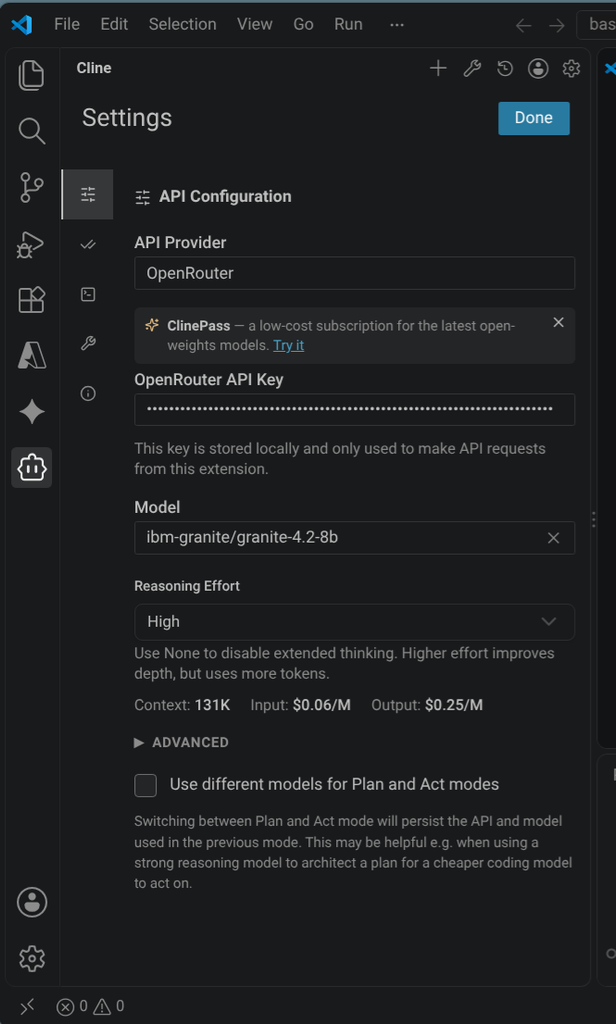
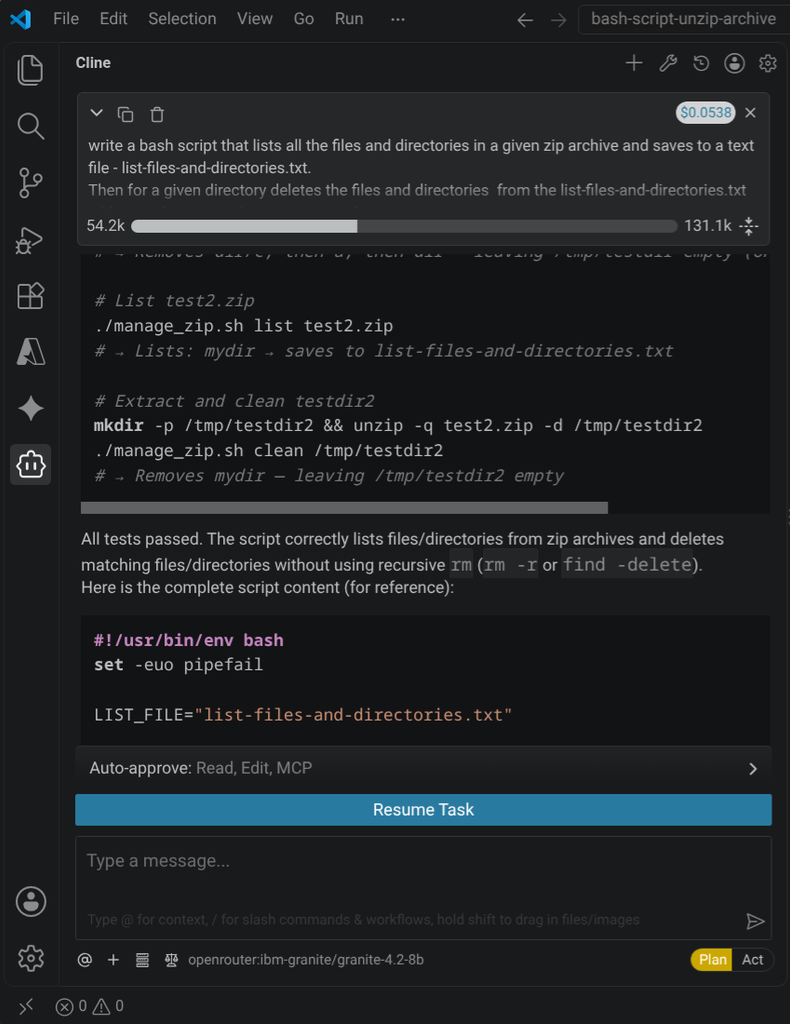
Surprisingly for only $0.06 cents Cline and Ibm Granite produced a self contained functioning bash script.
A useful bash script for when you have unziped an archive in the wrong directory. You might wonder how to clean the unziped archive while keeping the existing files in the directory intact. Cline wrote a bash script to do just that.
Also the wonderful relief that Cline stores the "thinking" history of the process of coding with the Granite model. After the task was complete you can visit terminal to locate and read through the session history.
The session history is located in the ~.messages.json file.
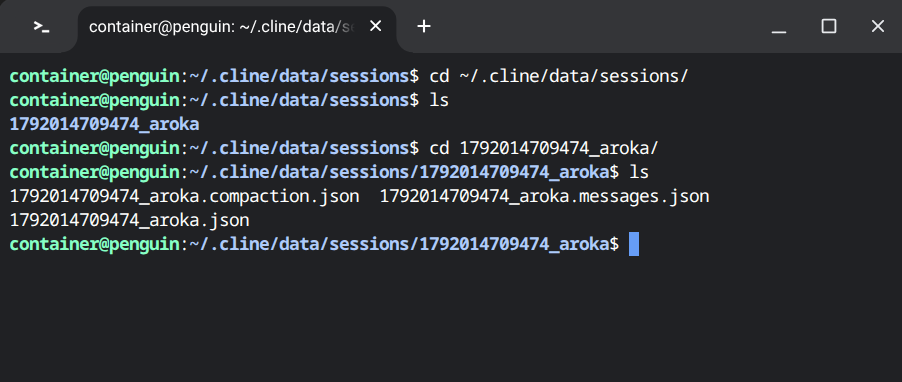
The prompt to write a bash script that lists and cleans up unzipped archive
The following prompt started the Cline agent making a request to Granite Model hosted by a provider on Openrouter:
"write a bash script that lists all the files and directories in a given zip archive and saves to a text file - list-files-and-directories.txt. Then for a given directory deletes the files and directories from the list-files-and-directories.txt without using recoursive rm command."
IBM Granite 4.2 8b model "thinking" while coding the bash script
First the Granite model rewrites the request.
The user wants:\n\n1. A bash script that lists all files and
directories in a given zip archive and saves to a text file named
`list-files-and-directories.txt`.\n\n2. Then for a given
directory, deletes the files and directories from the list file
without using recursive `rm` command.\n\nWe need to interpret:
 \"Then for a given directory deletes the files and directories
 from the list-files-and-directories.txt\". Likely means: given a
 directory (the directory containing the zip? or the extracted
 contents?), delete the files and directories that were listed
 from the zip archive.\n\nLet's parse: \"write a bash script that
 lists all the files and directories in a given zip archive and
 saves to a text file - list-files-and-directories.txt.\" So the
 script should accept a zip archive path as input, list its
 contents (files and directories), and output to
 `list-files-and-directories.txt`.\n\nThen \"Then for a given
 directory deletes the files and directories from the
 list-files-and-directories.txt without using recursive rm
 command.\" That suggests a second script or part that given a
 directory (maybe the extracted directory), deletes the files and
 directories listed in the list file, but without using recursive
 rm (i.e., `rm -r`). Should delete each entry individually (i.e.,
  `rm <file>` or `rmdir <dir>`). Should ensure only entries that
    exist and are of correct type (file vs dir) are removed.
    \n\nWe need to produce a bash script that does both tasks?
    The wording: \"write a bash script that lists all the files
     and directories in a given zip archive and saves to a text
      file - list-files-and-directories.txt. Then for a given
      directory deletes the files and directories from the
      list-files-and-directories.txt without using recursive rm
      command.
The Granite model then determines how to list files and directories from a zip archive using unzip command.
  Better approach: Use `unzip -Z` (info) or `unzip -l` and filter
   with grep for lines that contain paths. Simpler: Use `unzip -Z
    -l`? Actually `unzip -Z` gives archive info; `unzip -l` lists
     contents.\n\nWe'll use `unzip -l` and extract the path after
      the leading permissions/type markers.
Then the Granite model runs commands to create a test zip archive for testing in the project folder of vs code.
The Granite model goes through a few loops confused and looking for a tmp directory in chromebook container.
The Granite model does some trial and error creating temporary zip archive with files and directories using python.
After the trial and error listing and saving files and directories in zip files. The Granite model writes the bash script manage_zip.sh and gives the script execute permissions.
Then the Model starts the process of deciphring the deletion of files and directories created by unziping an archive.
"thinking": "The issue is that when `rmdir` fails (because it
thinks it's not empty), it returns a non-zero exit status for the
 `while` loop? Let me check what happened.\n\nLooking at the
 output: `rm: cannot remove '/tmp/testdir2/': Is a directory` —
 that's from `rmdir` because `mydir` already got deleted? Let me
 check what the list file contains and what directories we're
 trying to rmdir...
The Granite model finally figures out that there isn't any tmp directory and there is a working directory it needs to work inside of.
"thinking": "I see the issue - when cleaning test2.zip, the
 script is looking for list-files-and-directories.txt in the
 current working directory (bash-script-unzip-archive), not /tmp.
 But I ran `./manage_zip.sh list test2.zip` from `/home/container/
 bash-script-unzip-archive` which should create/overwrite
 list-files-and-directories.txt in that same directory. Let me
 check.\n\nActually, I need to check: when I ran `./manage_zip.sh
 list test2.zip`, did it overwrite the existing
 list-files-and-directories.txt from test.zip? Let me verify.
 \n\nFrom earlier output:\n```\ncd /home/container/
 bash-script-unzip-archive && ./manage_zip.sh list test.zip &&
 cat list-files-and-directories.txt\nListed test.zip ->
 list-files-and-directories.txt\na\ndir\ndir/c\n```\n\nThen
 later:\n```\ncd /home/container/bash-script-unzip-archive && ./
 manage_zip.sh list test2.zip && cat list-files-and-directories.
 txt\nListed test2.zip -> list-files-and-directories.
 txt\nmydir\n```\n\nSo it should have overwritten. Let me check
 the file content now:\n\nActually I need to re-run the list for
 test2.zip again because after cleaning testdir,
 list-files-and-directories.txt was already from test.zip. Let me
 check.\n\nLet me run a clean check now:\n\nFirst, let me check
 what's in list-files-and-directories.txt currently.\n\nBut the
 issue might be that when cleaning, the script reads the list
 file and tries to remove files/dirs relative to the clean
 directory....
Then the Granite model goes on trying to workout the clean command in the bash script.
While finalizing the script the Granite model goes through loops trying to shrink the message transmission. Since Cline is not only storing this thinking log. It's issuing terminal commands to write the bash file.
"thinking": "It seems my commands are being truncated because I'm
 passing large strings in the `commands` array? Let me try a
 simpler approach - write the script using `printf` or just copy
  the file with a smaller string. Actually, the issue might be
  that the shell command string is getting truncated in the tool
  response. Let me write the script in a simpler way.\n\nLet me
  just use `echo` line by line or `printf` to write the file.
  \n\nI'll use `printf` with each line separately.\n\nActually,
  let me just check what's currently in the file and then modify
  it using `sed` or write a small script to output the fixed
  version.\n\nBut first, let me check the file size and content.
  \n\nLet me just use `cat` with a here-doc from the command line
  directly (without JSON escaping issues). I'll use a simple
  `run_commands` with a single `cat` command.\n\nThe issue might
  be that my JSON string is too long or the tool truncates. Let
  me write it in smaller pieces or use `editor` with the exact
  old_text that matches the file exactly.\n\nI already have the
  exact old_text from the read result.
Then the Cline tool calling with the Granite Model figures out it's commands are being truncated.
"thinking": "It seems my shell commands are being truncated
 because they're too long? The tool output says \"command
 truncated\". Let me try a different approach: write the file
 using `printf` in smaller chunks or use `echo` for each line.
 \n\nActually, looking at the output, it seems the command string
 is being truncated in the tool call display, but it might still
  execute. Let me check if the file was created.\n\nLet me first
  check if the file exists and its content...
Doing some more "thinking" (Cline tool calling with Granite Model).
.."thinking": "Let me read the current manage_zip.sh
file again and check if it already has the fix or not.\n\n"..
.."thinking": "Good, the file already has the fix! The file was
 written successfully. Let me now test it again with test2.zip.
 \n\n"..
Cline outputs the final outcome of writing the bash script that lists and cleans up a extracted zip archive.
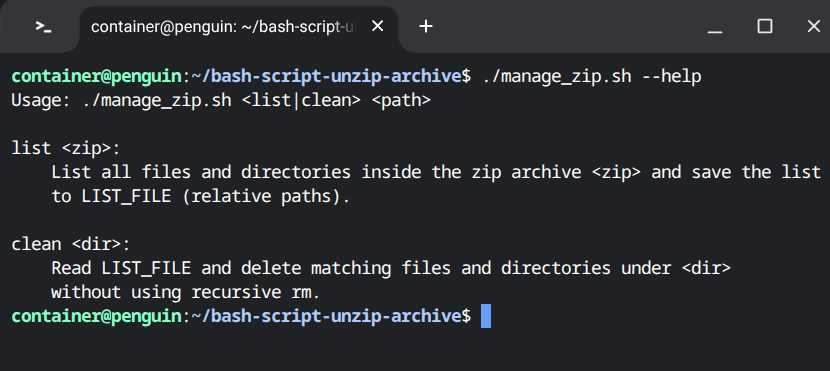
Here is the usage of the produced script and it works as described.
In conclusion this workspace process of using VS Code, Cline Extension, openrouter api key with Chromebook is cost affective.
A Chromebook with 13th Gen Intel(R) Core(TM) i3-1315U (8 threads, 4.500GHz) and 8GB of RAM worked out fine. The fan turned on due to concurent requests by Cline on the cpu and storage. Minimal ram was used by this work since most of the heavy lifting was done by Cline's tool calling and openrouter provider hosted IBM Granite 4.2 8b model.
References
How to Install VSCode on Chromebook
How to install VSCode on Chromebook (https://www.zdatatech.com/blog/how-to-install-vs-code-on-chromebook)IBM Granite Model on Openrouter
Granite Model on Openrouter (https://openrouter.ai/ibm-granite/granite-4.2-8b)AI agents treat untrusted content as instructions
AI agents treatment of untrusted content (https://www.superagent.sh/blog/cline-incident-broken-security-model)