Wordcraft comes with wordcraft-cli with an MCP server included. In this blog post you will get experience with using Cline agent extension on VS Code using IBM Granite Model hosted on Openrouter.
We will be using a Chromebook with linux development enviornment enabled. To have Linux development environment enabled visit here. To install VS Code on your Chromebook visit here. To install Wordcraft on your Chromebook visit here. Configuring Cline bot agent with IBM Granite Model is shared here.
Open a new project folder in VS Code
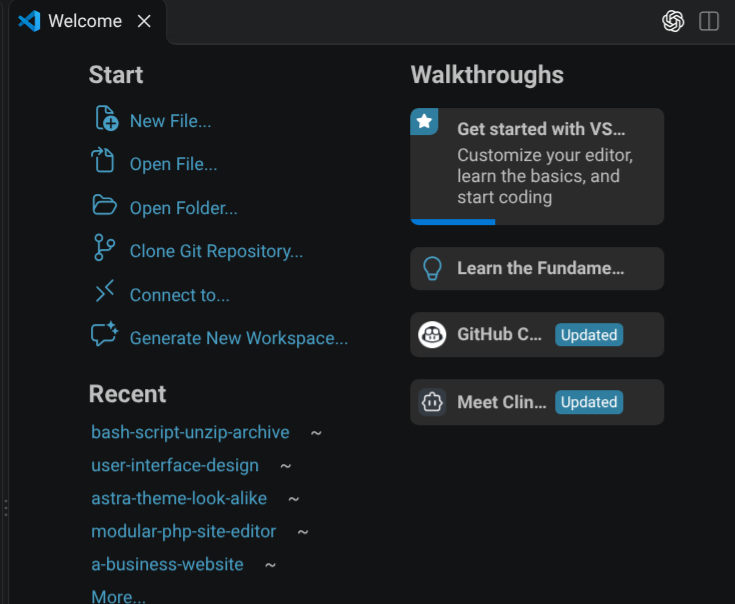
Click open folder in VS Code welcome tab to create a new project folder. Select or create a folder using the following select folder dialog window.
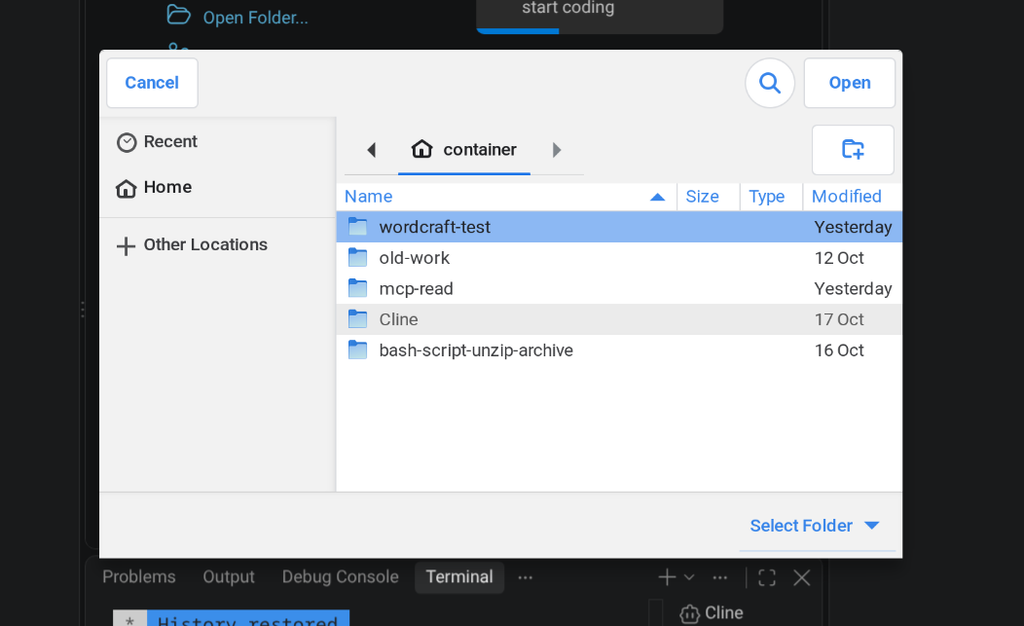
You can create a folder named wordcraft-test and select the folder.
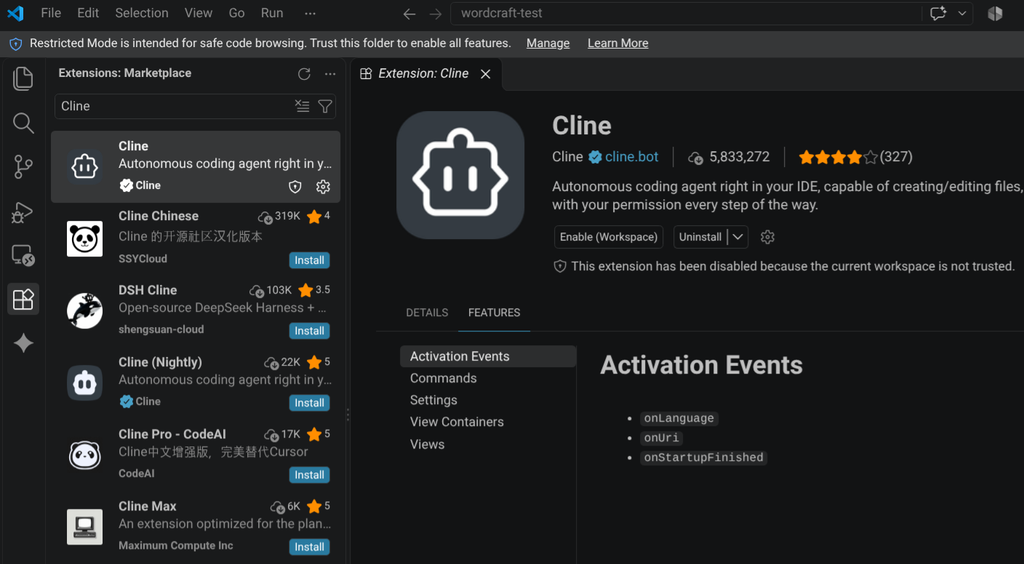
Click extensions on the left side bar then click Cline and in the "Extension: Cline" tab click "Enable (Workspace)". A dialoge will open asking you if you trust the project folder.
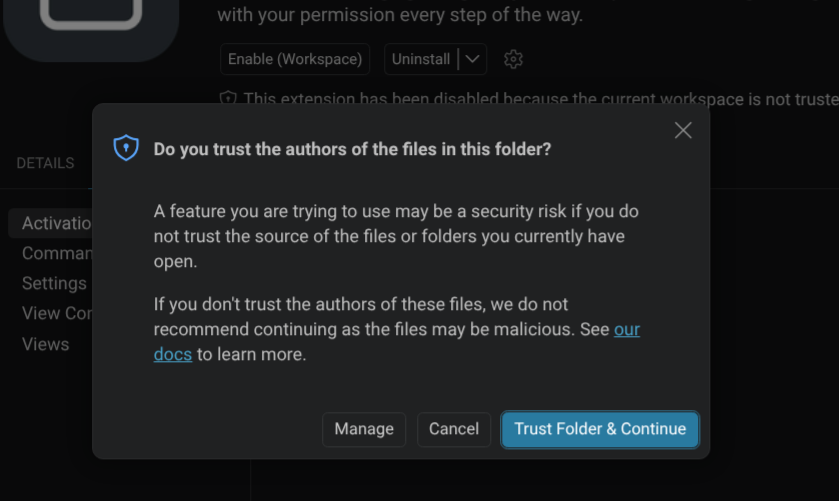
Click "Trust Folder & Continue" button.
Configure Wordcraft MCP server in Cline extension
Click the Cline icon on the left menu bar to open Cline agent pane.
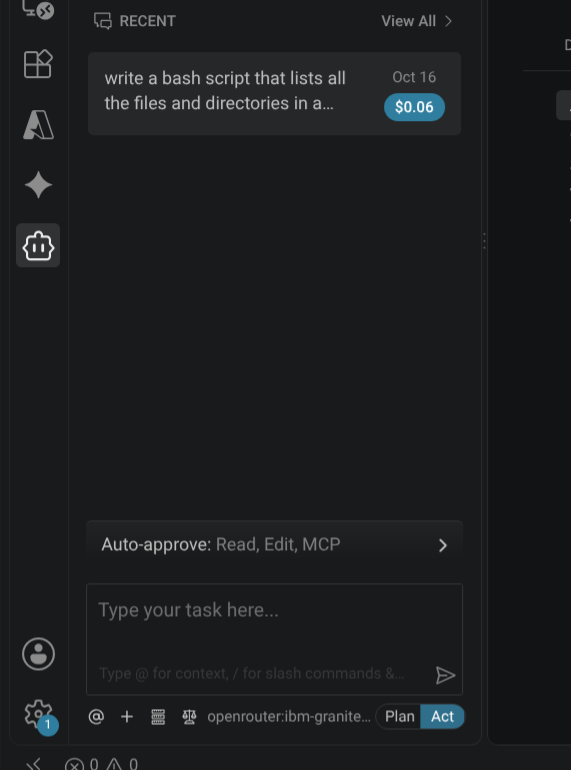
Click the three layered box icon at the bottom then click the gear icon to bring up options for configuring MCP server.
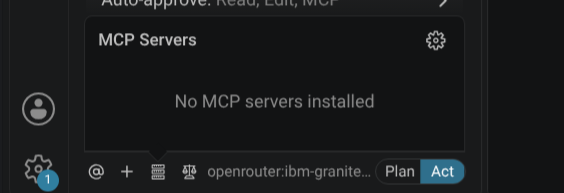
Click "Edit Configuration" button since Wordcraft-cli MCP server will run locally. This will open "cline_mcp_settings.json" tab where you will copy paste configuration text.
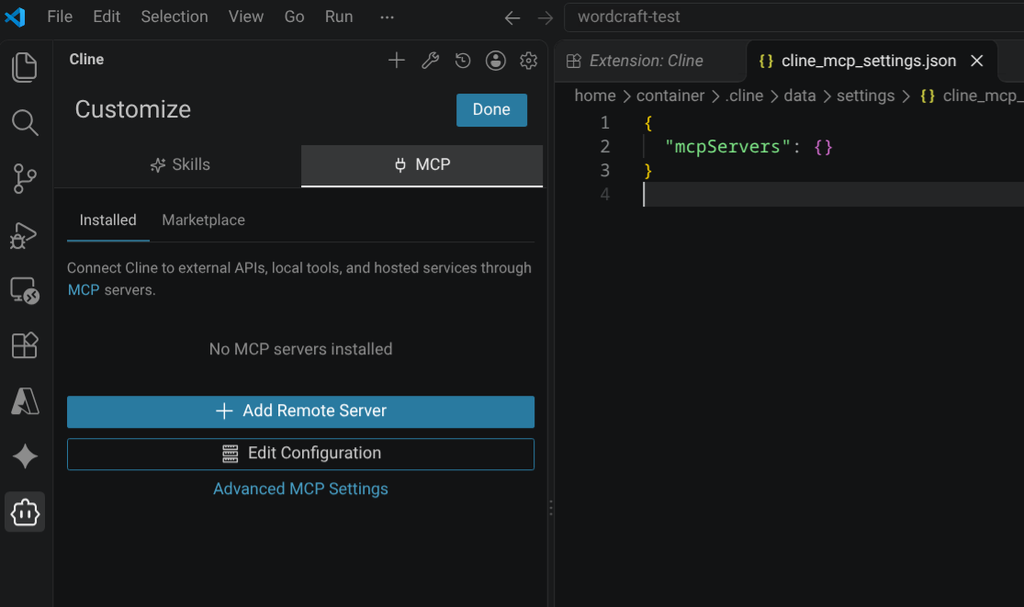
Copy paste the following MCP server configuration in the "cline_mcp_settings.json" tab of VS Code and file->save or Ctrl + S.
{
 "mcpServers": {
   "wordcraft": {
     "command": "/bin/wordcraft-cli",
     "args": [
       "mcp"
     ],
     "disabled": false
   }
 }
}
The "command" has to have the path to the wordcraft-cli binary. In Chromebook Linux development environment container The wordcraft-cli along with Wordcraft is installed in the "/bin/" directory.
Not providing the path to wordcraft-cli will cause the Granite model and Cline agent to go in loops. Resulting in Cline agent and Granite model trying to write python code to create and edit Wordcraft document.
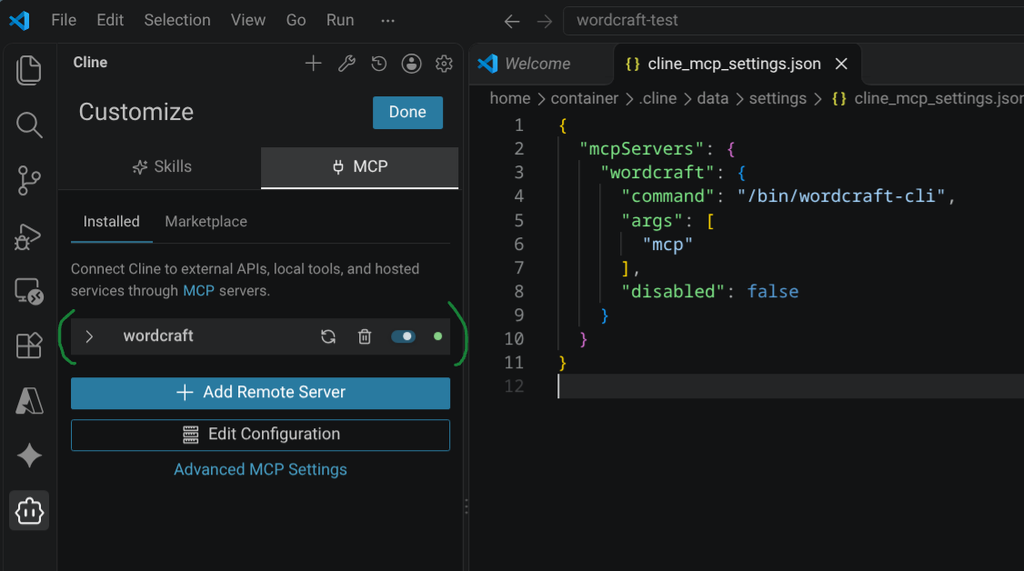
You should notice that Wordcraft MCP server will appear as installed on the Cline Customize pane on the left. If it doesn't appear then simply close and open VS Code.
Prompting Cline Agent with a task to use Wordcraft MCP server
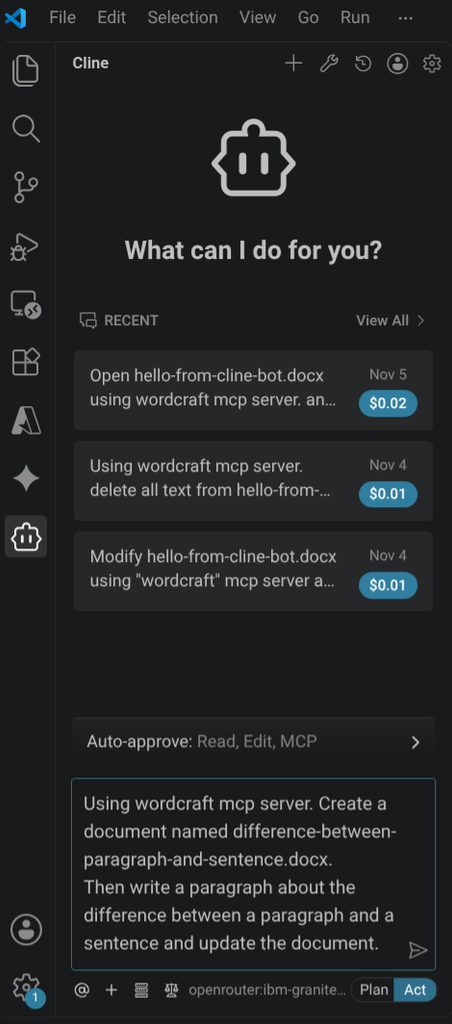
Prompt Cline agent with the following.
Using wordcraft mcp server. Create a document named difference-between-paragraph-and-sentence.docx. Then write a paragraph about the difference between a paragraph and a sentence and update the document.
Cline agent using Granite model and Wordcraft MCP completes task
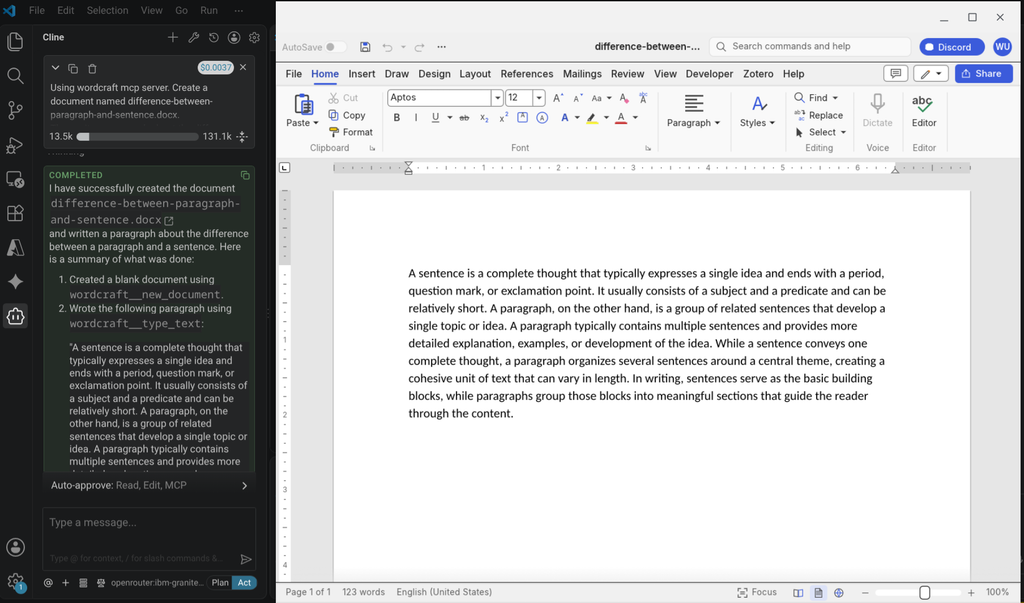
Browse to VS Code project folder in "Linux files" using Chromebook's Files app and open the Wordcraft document named "difference-between-paragraph-and-sentence.docx".