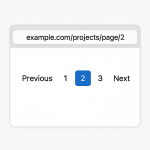
Adding pagination to a Query Loop in WordPress should be simple, but versions before 6.9 leave many users wondering why the links do not appear at all. This guide explains how to set it up properly. Also how to keep your pagination URLs clean with pretty permalinks.
Parts of pagination
What determines display of pagination are The Permalink settings, Page Template, Query Var, and your block themes functions.php
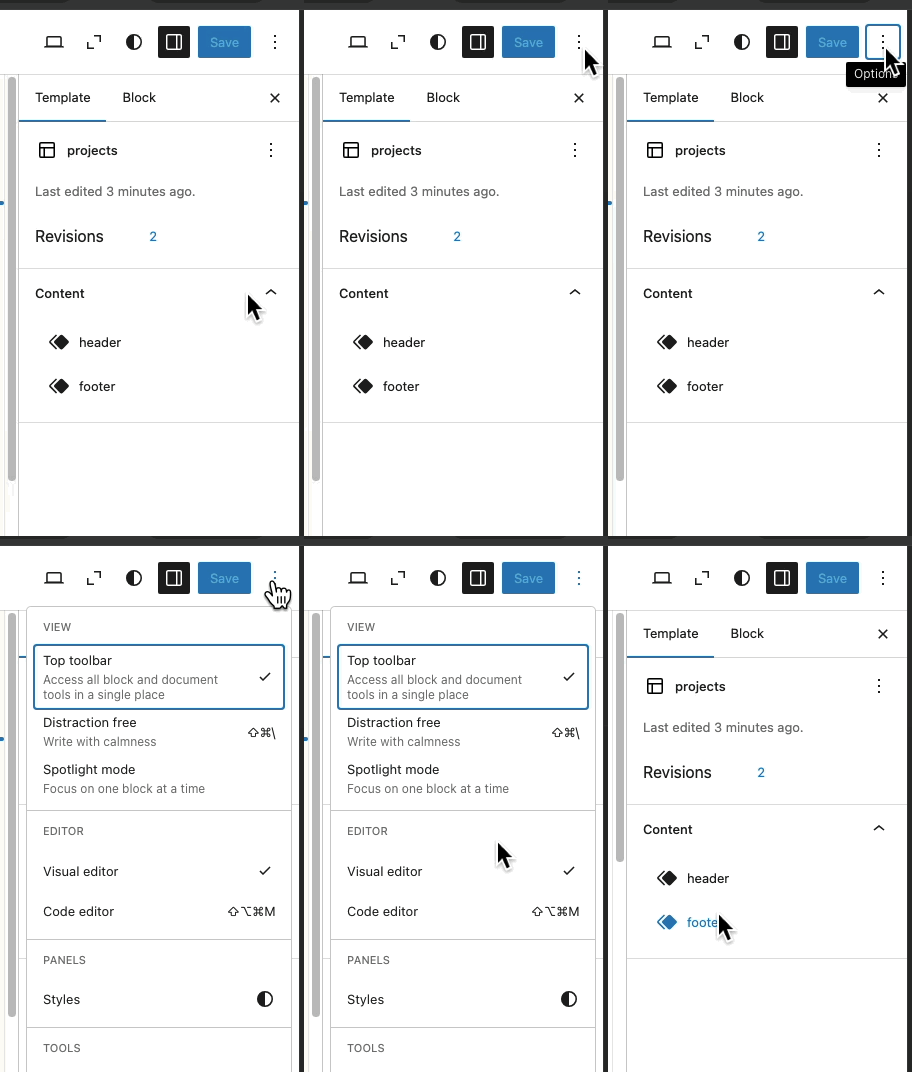
Open the code editor while you have the block theme page open.
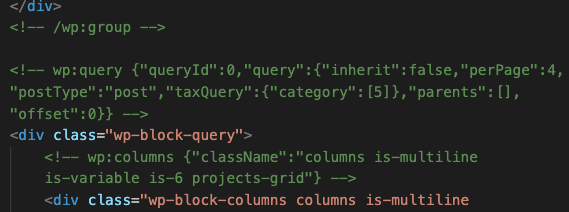
You'll notice the html comment for Query loop has a Query Id assigned. This comment starts the Query loop clause.
In versions before 6.9 the queryId might be missing. You can add queryId manually. Here i've set the queryId to 11. Or simply add the query loop block again.
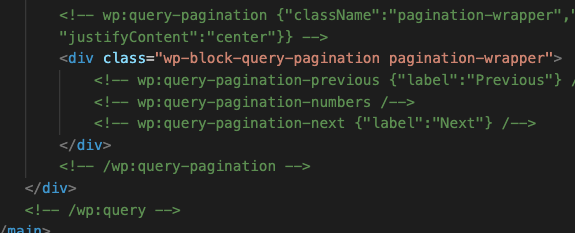
The pagination markup has to be before closing query loop html comment. Here is what pagination html comments look like. Otherwise pagination links won't appear. Check if the following comments appear before the closing query loop html comment.
The queryId number is used in query var name for pagination. In this case the query var name will be "query-11-page". Here is a browsers address bar while browsing pagination links with query var "query-11-page".

Pretty pagination urls
To have pretty urls instead of having variables in the address bar. In this case, instead of having /?page_id=9&query-11-page=2 , it would be user friendly to have /projects/page/2 .
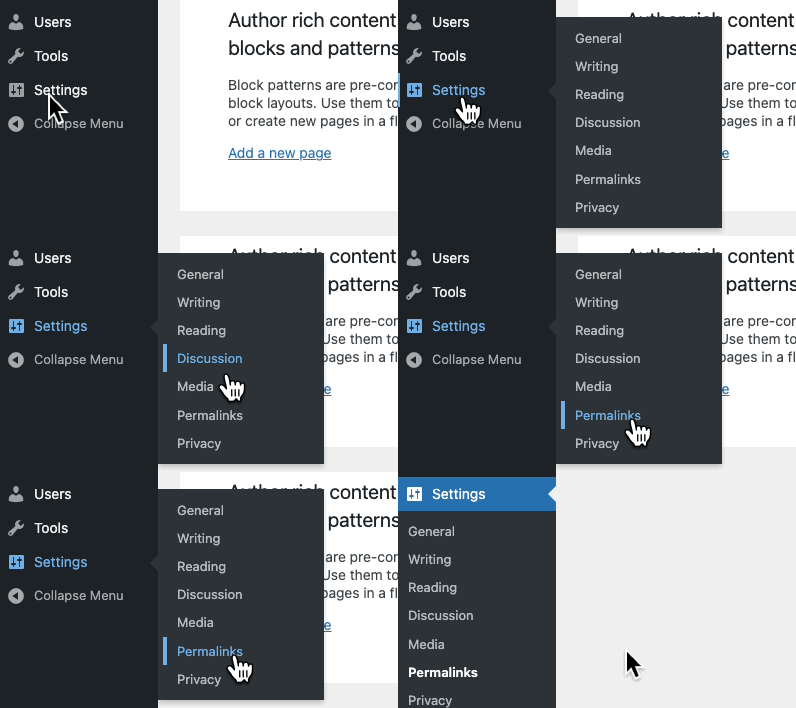
You first need to set permalinks in your Wordpress dashboard. Visit settings - permalinks in Wordpress dashboard to change permalink setting to one of the following.
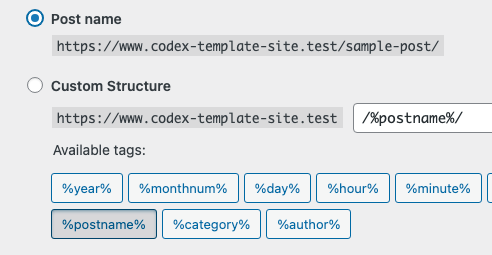
Setting the permalink to postname causes the url in address bar to use page slugs e.g. /projects/.
On top of functions.php in your themes there is designation for your theme name. This package name will be used to isolate functions from other themes.
    /**
    * Theme bootstrap and asset registration for YourThemeName.
    *
    * @package YourThemeNamePackage
    */
With queryId for query loop set to 11. Use the following code in functions.php to get page numbers from query var. This function uses pre_get_posts action.
   function YourThemeNamePackage_adjust_query_loop_paged( $query ) {
    if ( is_admin() ) {
        return;
    }

    // For the main front-end Projects page, map pretty `/projects/page/x/`
    // URLs onto the `query-11-page` query arg so the Query Loop block
    // (queryId: 11) sees the correct current page.
    if ( $query->is_main_query() && 'projects' === $query->get( 'pagename' ) ) {
        $paged_from_qv = (int) $query->get( 'paged' );
        $page_from_qv  = (int) $query->get( 'page' );
        $current_page  = $paged_from_qv > 0 ? $paged_from_qv : $page_from_qv;

        if ( $current_page > 1 && empty( $_GET['query-11-page'] ) ) {
            $_GET['query-11-page'] = $current_page;
        }
    }

        // If the custom query var is present (e.g. when visiting
        // `/projects/?query-11-page=3`), keep the main query's `paged`
        // value in sync so `get_pagenum_link()` and related helpers
        // generate the correct base URL.
        if ( $paged = $query->get( 'query-11-page' ) ) {
            $query->set( 'paged', absint( $paged ) );
        }
    }
    add_action( 'pre_get_posts', 'YourThemeNamePackage_adjust_query_loop_paged' );
The following sets the prefix for pagination. In this case the prefix is projects page slug. This function uses the render_block filter.
   function YourThemeNamePackage_render_query_pagination( $block_content, $block ) {
    if ( empty( $block['blockName'] ) || 'core/query-pagination' !== $block['blockName'] ) {
        return $block_content;
    }

    $base = '';

    // Projects page at /projects/ (slug "projects").
    if ( is_page( 'projects' ) ) {
        $base = trailingslashit( get_permalink() );
    } elseif ( is_page() && is_page_template( 'templates/projects.html' ) ) {
        $base = trailingslashit( get_permalink() );
    } elseif ( is_category( 'projects' ) ) {
        // Projects category archive (if you also use that).
        $term_link = get_term_link( 'projects' );
        if ( is_wp_error( $term_link ) ) {
            return $block_content;
        }

        $base = trailingslashit( $term_link );
    }

    if ( ! $base ) {
        return $block_content;
    }

    return preg_replace_callback(
        '/href="([^"]+)"/',
        function( $matches ) use ( $base ) {
            $href = html_entity_decode( $matches[1], ENT_QUOTES );

            $url_parts = wp_parse_url( $href );
            parse_str( isset( $url_parts['query'] ) ? $url_parts['query'] : '', $query );

            $page = isset( $query['query-11-page'] ) ? absint( $query['query-11-page'] ) : 1;

            if ( $page <= 1 ) {
                $new_url = $base;
            } else {
                $new_url = trailingslashit( $base ) . 'page/' . $page . '/';
            }

            return 'href="' . esc_url( $new_url ) . '"';
        },
        $block_content
        );
    }
    add_filter( 'render_block', 'YourThemeNamePackage_render_query_pagination', 10, 2 );
With the above two functions added to functions.php of your wordpress theme. Now we have pretty urls with pagination when visiting projects page having a query loop.

Further reading
Wordpress Theme Template Hierarchy
Visual Template HierarchyWordpress Pagination stackoverflow
Pagination stackoverflowOriginal Wordpress pagination doc
Pagination wppre_get_posts hook
pre_get_postsrender_block filter
render_block filter